Live Street Camera View
Quality App ZoneMaps & Navigation
3.5656.00 Reviews
- Version
- 4.0.4
- Installs
- 5.00M
- Age Rating
- Everyone
Screenshots

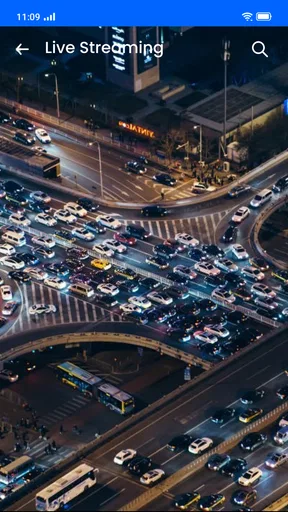

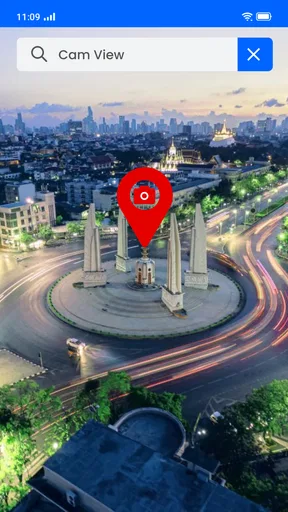
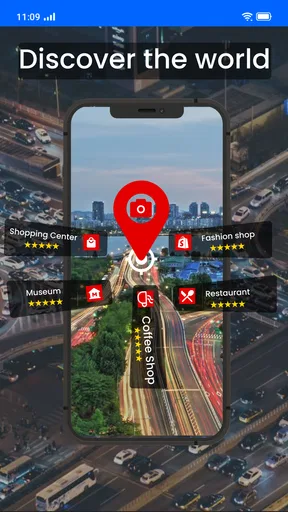
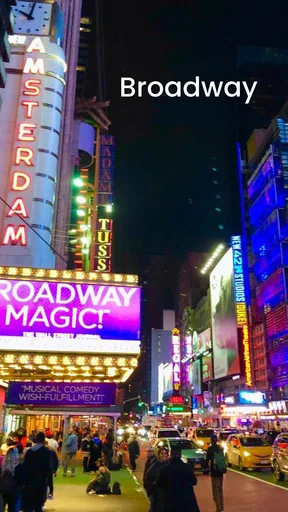

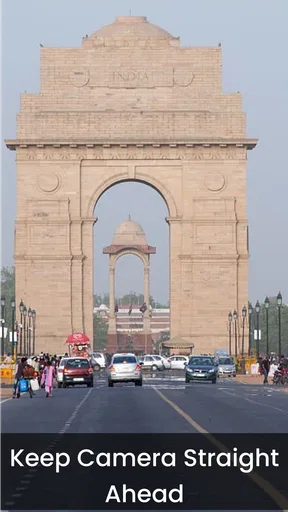
Our Review of Live Street Camera View
 Analysis by Appyee
I approached Live Street Camera View as a small window onto places I might never visit that day, rather than as a replacement for travel or a serious navigation tool. That distinction matters: its appeal is the chance to look around from a phone, satisfy a quick curiosity, and perhaps find a place worth learning about later. The novelty is immediate; whether it deserves a lasting place on your home screen depends on how often that kind of casual browsing fits your routine.
The first-week appeal: curiosity is easy to follow
For a first session, the draw is straightforward. I can pick a destination, move between views, and get a visual impression that a written description or a still image cannot quite provide. Watching a street gives a place a sense of scale and activity: a square may feel busy, a road quiet, and a familiar landmark more connected to its surroundings than it appears in a travel photo.
That makes the app particularly enjoyable when I have a few unplanned minutes. I might start with a well-known city, then follow a curiosity toward a less familiar location. The best use is not to treat each camera as a polished attraction, but to let the view answer a small question: does this area feel lively, what does the street layout look like, or what might a visitor notice beyond the main landmark?
A realistic example is planning a relaxed evening at home and wanting a brief change of scenery. I could browse a place I hope to visit, compare the feel of a central street with a quieter area, then save a location I would like to revisit. That is a satisfying little ritual, but it should stay a visual preview rather than the basis for firm travel decisions. A camera view is only one narrow angle on a place, and it cannot tell me what a full day there will be like.
Useful habits beyond casual browsing
Bookmarks can make the experience more purposeful. Instead of browsing at random every time, I can keep a short set of locations tied to an interest: places I am considering for a future trip, streets connected to a book or film, or a few views I like checking when I want a quick mental break. Keeping that list selective is a practical tip; a long collection becomes harder to use than simply searching again.
I would also give each visit a question. For example, I might look for the relationship between a street and a nearby landmark, or compare how open one public space feels against another. That turns camera-hopping into a small observation exercise rather than endless scrolling. It is a useful way to get more from the app without expecting it to provide a complete guide, directions, or a traveler’s account.
As a maps and navigation app, it sits in an unusual spot beside conventional map services. Those are the better choice when I need reliable route planning, street names, transit options, or a practical way to get somewhere. This app’s appeal is more visual and exploratory: it can add atmosphere to a destination search, but it should complement rather than replace a map when the details matter. For an actual journey, I would plan the route elsewhere and use this as a window for curiosity.
Exploring the World from Your Couch
So, what exactly does Live Street Camera View do? Imagine having a remote control to access live footage from street cameras around the globe. Yup, that’s exactly what this app offers. Whether you’re curious about what Times Square looks like at midnight or want to see the hustle and bustle of London during rush hour, this app is your go-to.
Once you launch the app, you’re greeted with a simple interface that’s easy to navigate. You can search for specific locations or just browse through a curated list of popular spots. It’s perfect for those moments when you’re itching for a bit of adventure but can’t quite leave the comfort of your couch.
Features That Make You Go “Wow!”
Let’s dive into some of the features that make this app stand out. First off, the real-time streaming is a game changer. The video quality is surprisingly good, so you get a clear view of the action happening thousands of miles away. It’s almost like being there, minus the jet lag!
Another neat feature is the bookmarking option. If you find a spot you particularly enjoy, you can save it for easy access later. This is great for those days when you want to revisit a favorite location or show off to friends.
And can we talk about the ease of use? The developers did a fantastic job with the user-friendly design. The app loads quickly and switching between different cameras is a breeze. It’s perfect for quick explorations when you have a few minutes to spare.
What to expect after the novelty fades
In day-to-day use, the strongest reason to return is having a personal purpose for opening it. A saved camera can become a small window you check while taking a break, or a visual reference when you are curious about a place. Without that habit, the app can feel like a one-evening diversion: browsing is entertaining at first, but switching between views can become repetitive if every visit is just another random destination.
One useful trade-off is to treat a view as a moment, not a promise that conditions will always look the same. Street scenes change, and a camera’s angle limits what I can infer about the wider neighborhood. If I am deciding where to stay, whether a route is walkable, or what a location is like throughout the day, I would cross-check with maps and current written guidance instead of drawing a broad conclusion from one feed.
That distinction also answers a common practical question: is this suitable for checking what is happening somewhere right now? It can offer a live-looking glimpse that is interesting for casual viewing, but I would not depend on it for time-sensitive decisions. A camera image is not the same as a dependable travel update, and a single viewpoint cannot stand in for local reporting or navigation instructions.
Diving Deeper into the World
What I love about Live Street Camera View is how it allows you to explore places you might not have considered visiting before. Sure, everyone talks about the big cities, but what about those charming small towns or remote scenic spots? The app offers a refreshing variety of locations, making it easy to discover hidden gems all over the world.
Whether you’re a travel enthusiast or just curious about different cultures, this app provides a unique way to experience the world. You’ll find yourself spending more time than you’d expect, hopping from one location to another. It’s like a virtual vacation, and who doesn’t need that every once in a while?
Who is likely to keep it installed?
I think it suits people who enjoy browsing places for their own sake: armchair travelers, anyone collecting ideas for a future itinerary, and people who like brief visual breaks during a quiet moment. It can also be a useful starting point for a conversation with children about different streets and cities, with an adult helping put what they see into context. Its Everyone age rating makes the intended audience broad, though the best experience still depends on understanding that a camera view is only a partial picture of a location.
On the other hand, I would skip it if I wanted turn-by-turn directions, detailed trip planning, or a reliable way to assess current local conditions. A standard mapping app is more useful for those jobs. I would also be cautious about treating the word “live” as a guarantee that every selected place will provide a compelling, continuously changing scene. The app works best when I am happy to explore what a particular view offers, rather than when I need a specific answer on demand.
For a quick, low-effort workflow, I would search for one place, spend a minute looking at its surroundings, and bookmark it only if I have a reason to return. If I am researching a trip, I would write down the area that caught my eye and then use a conventional map or guide to check practical details. That division of labor keeps this app enjoyable while avoiding the frustration of asking it to do a planner’s job.
Cost, upkeep, and small sources of friction
The app is free to install, which lowers the barrier to trying it, but it also offers in-app purchases priced from $9.99 to $39.99 per item. I would explore the free experience first and decide whether I have developed a recurring use before spending anything. A feature that seems appealing during a first burst of curiosity may not feel worthwhile after a few weeks, so I would avoid paying simply because I am enjoying the novelty.
There is little maintenance in the sense of building a complicated setup; the main upkeep is deciding whether saved locations still serve a purpose and resisting the urge to let bookmarks become an unhelpful pile. I would keep only a handful of favorites and clear out places I no longer revisit. That simple habit makes the app faster to return to and gives it a better chance of becoming a small routine instead of an icon I forget about.
It is also sensible to be mindful of time and connection when watching video. I would use a stable connection for longer browsing and keep sessions brief if I am only looking for a momentary escape. Those are ordinary considerations for a video-focused app, but they matter here because the value comes from viewing rather than from a task that must be completed.
Developed by Quality App Zone, it has an average rating of 3.2 from around eleven thousand ratings, alongside about 557 written reviews and over five million installs. I read that mixed reception as a reason to set realistic expectations: the concept is easy to understand, but whether it becomes useful depends heavily on how much I enjoy casual camera browsing. It is free, rated Everyone, and its current version is 3.5.1, with Android 7.0 as the minimum operating system requirement.
Wrapping It Up
In a world where traveling might not always be feasible, Live Street Camera View offers a delightful alternative. It’s a fun, engaging, and surprisingly immersive way to see the world without leaving your home. Whether you’re planning your next big trip or just want to escape for a little while, this app has got you covered.
So, next time you’re feeling a bit of wanderlust creeping in, why not give Live Street Camera View a try? It’s your ticket to a world of exploration, no boarding pass required. Happy traveling, my friends!
My long-term verdict
For me, this is best understood as a compact curiosity tool, not an essential travel companion. I would keep it installed if I found myself returning to a few saved views or using it to spark ideas for places to explore. If I opened it only once for the novelty, I would not feel I was missing a core navigation feature by removing it; conventional maps remain more practical for everyday journeys.
The lasting value comes down to a modest but genuine question: do I enjoy checking in on places when I have no urgent task to solve? If the answer is yes, its easy browsing and bookmarking can make those short visits worthwhile. If I need accuracy, planning depth, or a dependable view of a whole destination, another tool is the better choice. I would try the free version, keep expectations grounded, and let repeated use—not the first impression—decide whether it earns space on my phone.
Privacy and Permissions
See what permissions an app requests and how it handles your data.
- Location
- approximate location (network-based)
- Camera
- take pictures and videos
- Microphone
- record audio
- Wi-Fi connection information
- view Wi-Fi connections
- Other
- view network connections, full network access, control vibration, prevent device from sleeping, Google Play license check
Verdict
Strengths of Live Street Camera View
- Real-time streaming from global locations.
- User-friendly interface and navigation.
- High-quality video streams available.
- Option to save favorite camera views.
- Free to use with optional premium features.
Limitations of Live Street Camera View
- Limited camera availability in some regions.
- Occasional buffering on slower networks.
- Ads can be intrusive in free version.
- Requires a stable internet connection.
- Limited offline functionality.
Similar Picks in This Category
View All
Uber - Request a ride
Uber Technologies, Inc.4.7


inDrive. Rides with fair fares
® SUOL INNOVATIONS LTD4.8

Yandex Go: Taxi Food Delivery
Mikromobilnost LLC Belgrade4.8

Bolt: Request a Ride
Bolt Technology4.8

Rapido: Bike-Taxi, Auto & Cabs
Rapido Bike Taxi4.8
Frequently Asked Questions
What is Live Street Camera View and how does it work?
Live Street Camera View is an app that allows users to view real-time footage from street cameras located around the world. By utilizing a network of publicly accessible cameras, the app provides live streams of various locations, enabling users to explore different places without physically being there. It requires an internet connection to function properly.
Is Live Street Camera View free to use?
The app offers a free version with access to a limited number of cameras and features. However, for an enhanced experience, including access to premium camera feeds and additional functionalities, users can opt for a subscription model. Prices and features of the subscription may vary depending on the platform and region.
What are the privacy concerns associated with using Live Street Camera View?
Live Street Camera View uses publicly available street cameras, which means the footage is already accessible to the public. However, users should be aware that the app does not stream private or restricted camera feeds. Always ensure that you are using the app in compliance with local privacy laws and guidelines.
Can I use Live Street Camera View on both Android and iOS devices?
Yes, Live Street Camera View is available for both Android and iOS platforms. Users can download the app from the Google Play Store for Android devices and the Apple App Store for iOS devices. Ensure your device meets the necessary system requirements for optimal performance.
What are some features that make Live Street Camera View stand out?
Live Street Camera View offers several features to enhance user experience, including high-definition streaming, location search, and camera bookmarking for quick access. The app also provides an interactive map interface, allowing users to explore cameras based on geographic locations. Premium versions may include additional features such as ad-free viewing and exclusive camera feeds.
